


Kole
Ask your data in plain English.
Ask about orders, inventory, or revenue. Let your AI analyst help turn the question into a report.
Explore KoleAI analytics for operations and finance
SyneHQ turns questions about orders, inventory, and revenue into answers and reports. Ask in plain English. Check the SQL. Share the result.
An example: find the overdue orders.
Example of the SyneHQ app with fictional data. Question: Which open orders have missed their promised date? Kole checks the orders table and previews a query, then answers: 4 open orders are overdue across 3 warehouses. Their combined value is $600. East, 2, $360, 62. South, 1, $165, 81. West, 1, $75, 93 Late orders by warehouse: East holds half of the overdue orders; review ORD-101 and ORD-102 first.
See the full exampleFictional data · Fixed snapshot · No account needed
Customer story / Farmako
30% less time resolving issues · Customer-reported
Read how Farmako uses SyneHQ“SyneHQ helped us cut issue resolution time by 30%. We now spot and fix operational problems faster, with complete visibility into orders and inventory across locations.”
One workspace for your data
Ask a question, check the records, and share something your team can use.
Kole
Ask about orders, inventory, or revenue. Let your AI analyst help turn the question into a report.
Explore Kole
Data Explorer
Browse tables and schemas. Inspect the rows behind a number before deciding what it means.
Explore Data Explorer
Quantum Lab
Keep code, charts, results, and notes in one notebook. Follow the analysis from start to finish.
Explore Quantum Lab
Dashboards
Bring charts and metrics into a shared dashboard for your team’s recurring reviews.
Explore Dashboards
Saved Queries
Save a query with its connection. Return to earlier results and share a specific run with your team.
Explore Saved QueriesBring your sources together and decide how your team works with them.

Tangents
Join connected sources in one SQL query using an on-demand DuckDB session.
Explore Tangents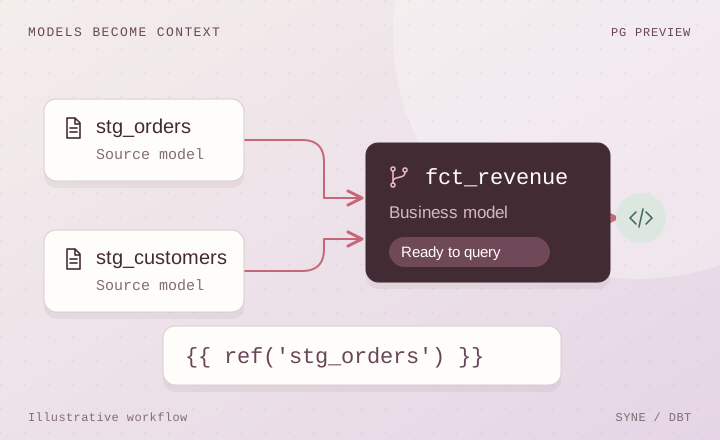
dbt
PostgreSQL previewBring connected dbt models into the analysis. Start with the PostgreSQL preview.
Explore dbt
Data Tools
Explore tools for backups, recovery, pipelines, and monitoring alongside your analysis.
Explore Data Tools
Team Scoping
Keep connections, queries, notebooks, and dashboards within the right team’s workspace.
Explore Team Scoping
Approval Workflow
Inspect, edit where supported, and approve or reject configured consequential agent actions.
Explore Approval Workflow
Lumen
BetaExplore events, users, and sessions to understand the activity behind your product metrics.
Explore LumenA look at the work ahead. These capabilities are upcoming, not available today.

Schema Changes
UpcomingPreview a workspace for comparing database structure changes before a rollout.
See what’s planned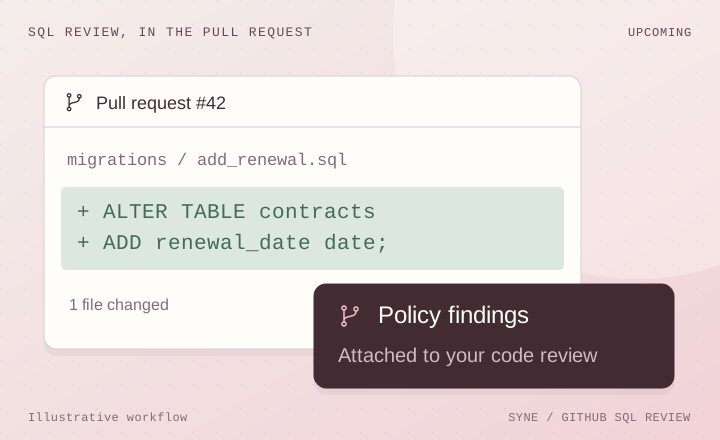
GitHub SQL Review
UpcomingPreview policy findings beside the SQL changes your team is already reviewing in GitHub.
See what’s planned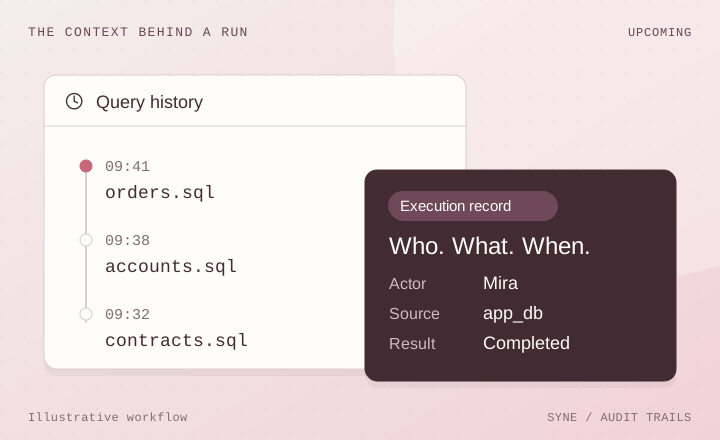
Audit Trails
UpcomingPreview a query timeline connecting an execution with its actor, source, and outcome.
See what’s plannedBehind the answer
Your data and business definitions give Kole the context to help your team.
Connected data
Connect supported databases, warehouses, and files. Choose the data your team can access.
See SyneHQ in action
Watch Kole explore connected data, show the analysis, and turn the findings into a report.
Bring your team’s question to a demo.
We’ll explore how SyneHQ could help with a report or workflow you use.
Connected. Considered. In control.
Connect your databases and files. Bring answers back to the tools your team uses.
Data connections, storage destinations, and workspace integrations. Availability varies by connector.
Kole for Slack
Mention Kole to explore connected data where your team already works.
Set up SlackKole MCP
Explore tables and run queries from an MCP-compatible client using your SyneHQ connections.
Get Kole MCPGovernance
Team-scoped access, configured masking, and review for supported consequential actions.
See the controlsCollaboration
Give everyone a shared place to explore, review, and move the work forward.
Bring your team togetherOpen source. Open to your team.
A considered foundation
Team-scoped resources, configured data masking, and approval gates for consequential agent actions help teams work within clear boundaries.
Security documentation and compliance readiness are in progress. Explore the controls available in the product today.
Explore the controlsChoose your starting point
For one person exploring and saving analysis.
$9
/ mo
Get startedFor teams sharing analysis. Five seats cost $245/month.
$49
/ seat / mo
Open a workspaceDiscuss workspace limits and support for a larger rollout.
Custom
Let’s talk about your team
Talk to usMonthly prices in USD. Agent-action allowances reset monthly. Taxes may apply. Review the plan, limits, and terms shown in your workspace before subscribing. Upcoming features are not included as available capabilities.
2,500 pooled agent actions each month. Shared notebooks, saved queries, and approval controls for consequential agent actions.
$399/ month
Discuss Company fitFor comparison, five Team seats cost $245/month with 500 actions per seat. Confirm package limits and support requirements with us before choosing Company.
Start with a question in plain English. Kole helps you explore connected data and create reports. Analysts can inspect the queries or continue the investigation with SQL and Python in Quantum Lab.
Yes. Kole can create reports, including quarterly and financial-year reports, that your team can edit and share. Use a report to carry the findings and context into the next review.
SyneHQ connects to supported databases, warehouses, and files. Your available sources depend on the connector and your permissions. Check the connection options before choosing a plan.
Read the connection docsRead-only discovery can run automatically. Supported consequential actions proposed by Kole pause for review: inspect the proposal, edit it where supported, and approve or reject it. Approval applies to configured agent actions, not every manual notebook action.
See how approvals workThe complete SyneHQ workspace is not currently available for self-hosting. Individual open-source projects, including Lumen and Rabbit, have their own deployment options. Book a demo to discuss what your team needs.
Data Checks by SyneHQ
Bring a SQL question, share an analysis, or learn with free examples. Our Discord community welcomes every data stack. No product subscription required.