
Blog /
Audit a CSV with DuckDB Before You Trust the Dashboard
SyneHQ
On this page
A CSV export can open successfully and still be wrong for the question you want to answer. A repeated order inflates revenue. A malformed date drops out of a monthly chart. An empty customer ID makes a segment look smaller than it is.
Before building the chart, give the file a small acceptance check. This walkthrough uses six fictional rows and a local DuckDB session. It does not need a warehouse connection or a SyneHQ account. The goal is a list of exceptions you can explain, rather than an attractive chart built on an unknown denominator.
Start with a deliberately imperfect export
Download orders.csv and the complete SQL into the same folder. Install the DuckDB CLI if you do not already have it. The example was tested with DuckDB CLI 1.2.1.
The file contains two copies of order 002, one bad date, one nonnumeric amount, and one missing customer. All amounts are in the same fictional currency. The IDs are identifiers, so 001 must stay 001.
order_id,customer_id,ordered_at,amount
001,c1,2026-09-01,100.00
002,c2,2026-09-02,50.00
002,c2,2026-09-02,50.00
003,c3,not-a-date,25.00
004,c4,2026-09-03,oops
005,,2026-09-04,30.00
From that folder, run duckdb < csv-audit.sql. Use a fresh session for each run; the script creates temporary objects and leaves the CSV unchanged.
Preserve the source, then inspect the types
Automatic inference is useful for exploration. For an acceptance check, load the columns as text first. That preserves leading zeros and lets you see the original value when a conversion fails.
TRY_CAST returns NULL when a value cannot be converted. Here, a missing value also fails the same check: every order needs a date and an amount. If your source allows missing values, count “missing” and “malformed” separately.
-- Run in a fresh DuckDB session beside orders.csv. Fictional data.
CREATE TEMP TABLE raw_orders AS
SELECT * FROM read_csv('orders.csv', header = true, all_varchar = true);

CREATE TEMP VIEW typed_orders AS
SELECT *,
  TRY_CAST(ordered_at AS DATE) AS order_date,
  TRY_CAST(amount AS DECIMAL(18, 2)) AS amount_value
FROM raw_orders;

SELECT
  COUNT(*) AS source_rows,
  COUNT(DISTINCT order_id) AS distinct_order_ids,
  COUNT(*) FILTER (WHERE order_date IS NULL) AS invalid_dates,
  COUNT(*) FILTER (WHERE amount_value IS NULL) AS invalid_amounts,
  COUNT(*) FILTER (
    WHERE NULLIF(TRIM(customer_id), '') IS NULL
  ) AS missing_customers
FROM typed_orders;

SELECT order_id, COUNT(*) AS copies
FROM raw_orders
GROUP BY order_id
HAVING COUNT(*) > 1
ORDER BY order_id;

SELECT order_id, ordered_at, amount, customer_id
FROM typed_orders
WHERE order_date IS NULL
   OR amount_value IS NULL
   OR NULLIF(TRIM(customer_id), '') IS NULL
ORDER BY order_id;
Read the exceptions before calculating a total
The first query produces this profile:
| Source rows | Distinct order IDs | Invalid dates | Invalid amounts | Missing customers |
|---|---|---|---|---|
| 6 | 5 | 1 | 1 | 1 |
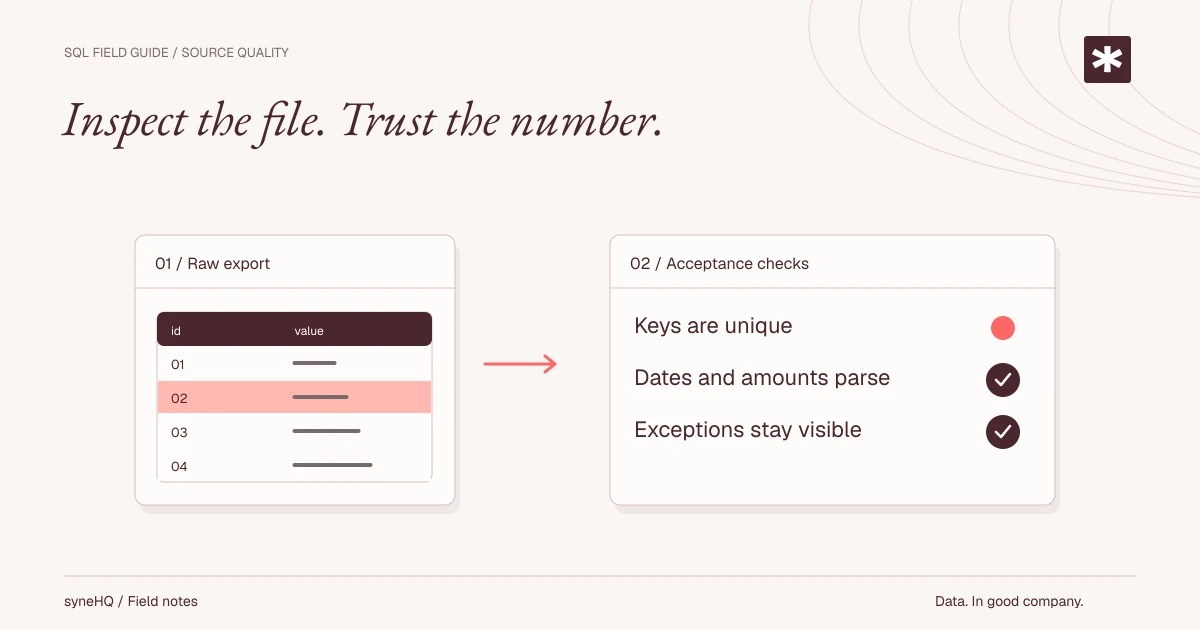
The next result identifies 002 with two copies. The final result keeps the original values for orders 003, 004, and 005, so a reviewer can see what failed. Exception counts can overlap on real data; adding them is not a reliable count of rejected rows.
We have intentionally not published a “clean revenue” number. Dropping the malformed rows would turn a data-quality problem into a quieter reporting error. A failed conversion is not evidence that the order had zero revenue.
The duplicate also needs a policy. These two rows happen to match, but the next export may contain an amended order with the same ID and a different amount. A blanket DISTINCT cannot decide whether an update, a retry, or a second business event is authoritative. Ask the source owner which field orders revisions, and preserve that decision with the query.
Turn the profile into an acceptance rule
Write down the grain before you write the check: in this example, one row means one order. For an order-line export, repeated order IDs would be normal and the key would need an additional line identifier.
Then define what blocks publication. A useful first contract is: required IDs are present, the chosen key is unique, dates and amounts are valid, and the export has an expected reporting window. Compare row counts and totals with the exporting system after exceptions are resolved. A syntactically valid date outside that window is still wrong for the report.
This small script does not prove completeness, correct currency, referential integrity, or that a customer really exists. Those need checks against the source and business definitions. It gives you a repeatable starting point and a visible exception list.
Keep the evidence with the analysis
Save the export date, source filename, query, profile, and resolution notes together. After a source correction, rerun the same checks; do not quietly edit the evidence file to make the totals line up.
When the work moves into a team workflow, Quantum Lab is a place to keep SQL, analysis, and notes together. The downloadable lesson runs locally in DuckDB; it does not imply that SyneHQ automatically runs this audit or offers every DuckDB extension.
Next, see how a valid join can double-count revenue. Clean source rows are only the first boundary.
References
Put it to work
Run the example. Check the answer.
Start with the fictional data and complete SQL. No signup needed. Then adapt the checks to your own definitions.