
Blog /
A SQL Query Review Checklist Before You Share the Number
SyneHQ
On this page
A query can run successfully and answer the wrong question. It can also return a plausible total while assigning the money to the wrong customers.
Reviewing SQL means checking the relationship between a business question and the rows that support its answer. Start with the definition, then work through the data. This checklist is for analytical queries; it does not replace security, performance, or accounting review.
Download the SQL review template and keep it beside the query. The examples below use fictional data. The runnable exercises in our SQL field guide include input data and expected results.
1. Write the question without referring to the chart
“Monthly revenue” is too vague to review. Which orders qualify? Is the measure booked order value, cash collected, or recognized revenue? Are refunds grouped by the order date or the refund date? Are tax, discounts, and currency conversion included?
Write down the eligible population, measure, reporting period, timezone, and exclusions. A refund in February for a January order exposes a policy choice; SQL cannot make that choice for your team.
Keep as evidence: the metric definition, its owner, and one example that establishes a boundary case.
2. Name the grain of every input and intermediate result
Complete this sentence for each table or CTE: one row represents…
An order, an item, a refund event, and a customer-month are different grains. If a table is supposed to contain one row per order, check the key:
SELECT order_id, COUNT(*) AS copies
FROM order_summary
GROUP BY order_id
HAVING COUNT(*) > 1;
An empty result supports the uniqueness claim for the data you checked. It does not prove that every eligible order is present. Compare the entity count with the source and inspect missing keys separately.
Keep as evidence: the intended key, the uniqueness result, and a source-to-result coverage check.
3. Check what each join adds, repeats, and removes
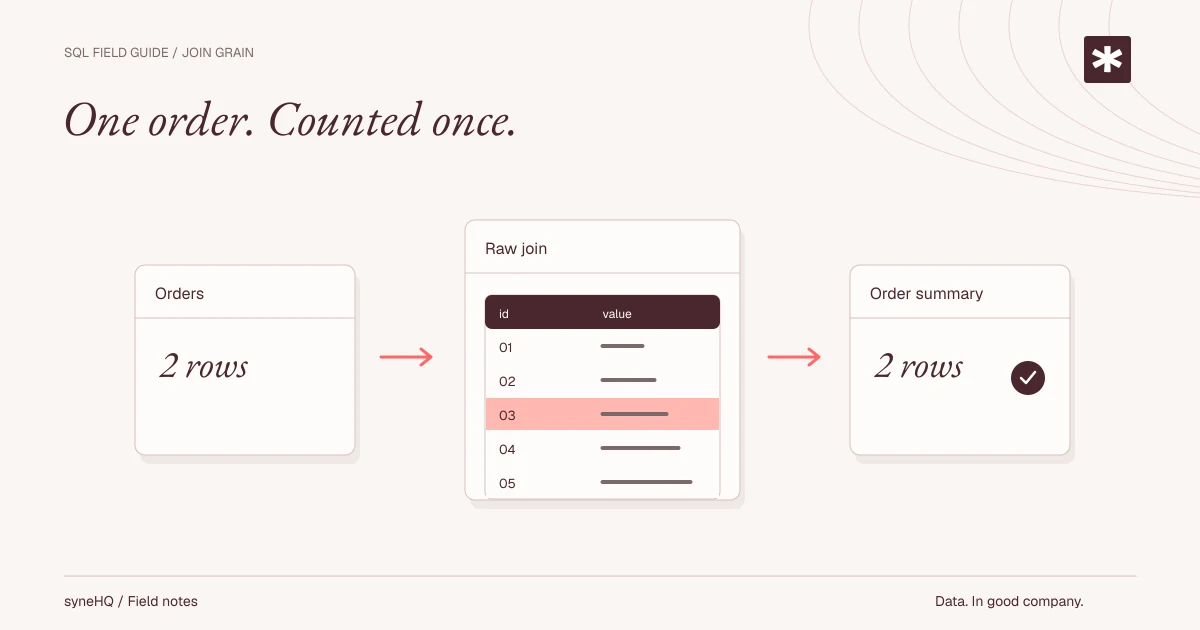
Two items and two refunds for the same order produce four combinations when both child tables are joined directly. Summing the parent amount after that join repeats it four times.
In our join fanout exercise, two orders worth $200 become an incorrect $560. Aggregating each child table to one row per order before joining restores the intended grain for that question.
SUM(DISTINCT order_total) is not a general repair. Two legitimate orders can have the same amount; DISTINCT removes repeated values, not repeated entities.
Also inspect filter placement:
FROM orders o
LEFT JOIN refunds r ON o.order_id = r.order_id
WHERE r.status = 'approved'
That WHERE clause removes orders with no matching refund. If the question needs every order, filter the refund input or put the condition in the join, then verify the order count. For historical dimensions, check that the effective-date condition selects at most one matching version.
Keep as evidence: row counts, entity counts, unmatched records, and amount reconciliation at each material join.
4. Separate missing, invalid, and zero
An invalid amount is not zero. A missing customer ID is not necessarily an unknown customer whose records should disappear.
Preserve raw values while parsing external data. Check required fields, duplicate business keys, numeric conversions, and date conversions separately. If the source contains an identifier such as 002, importing it as an integer discards its formatting. DuckDB's all_varchar=true option is useful when the first task is to inspect CSV values before deciding their types.
In the CSV audit exercise, six source rows include five distinct order IDs, one invalid date, one invalid amount, and one missing customer. These are separate checks, not mutually exclusive buckets: one row can fail several checks.
For a quick count distinction, three rows containing two non-null customer IDs produce COUNT(*) = 3 and COUNT(customer_id) = 2. Neither expression necessarily counts distinct customers.
Keep as evidence: exception counts, affected records, and the agreed treatment of each exception.
5. Keep the numerator and denominator visible
A percentage alone loses information. Suppose one fictional team converts 1 of 2 prospects and another converts 9 of 90. Their rates are 50% and 10%. The combined rate is 10 of 92, approximately 10.9%; averaging the two percentages gives 30%.
Decide which aggregation answers the question. An average team rate and an overall prospect conversion rate are different measures. Retain the counts so a reviewer can tell which one the chart uses.
For retention, count distinct active people within the defined cohort period. Two events from one person are still one retained person. “Returned during month two” and “returned at any time by month two” also need different queries.
Keep as evidence: numerator, denominator, deduplication key, and the rule for an empty denominator.
6. Make time boundaries explicit
For timestamp filters, a half-open interval is usually easier to reason about than the last possible instant of a month:
created_at >= start_of_month
AND created_at < start_of_next_month
Define those boundaries in the intended reporting timezone. Check the engine's timestamp types and conversions; date arithmetic does not settle timezone policy by itself.
An unfinished cohort period should not look like a completed period with no returning users. The monthly cohort retention exercise excludes incomplete months from comparable cells and explains the observation cutoff.
Keep as evidence: timezone, interval boundaries, data freshness, and the latest complete observation period.
7. Reconcile at the level where decisions happen
A grand total can match while two errors cancel out. Overstate one customer's amount by $100 and understate another by $100: the overall difference is zero.
Compare the result with an independent source at a useful level, such as order, customer, or reporting period. Investigate differences instead of accepting a matching headline as the end of the review.
For money, agree on decimal types and rounding policy. In a fictional example, rounding each 0.335 to two decimal places and then adding gives 0.68; adding first and then rounding gives 0.67. Real billing or accounting policy determines the appropriate treatment.
Keep as evidence: reconciliation totals, remaining differences, and accepted tolerances with their reasons.
8. Leave a reproducible handoff
A screenshot is useful context, but it cannot reproduce a result. Keep the query, engine/version, a small fictional fixture, expected output, observation date, and known limitations together.
Useful fixture cases include identical legitimate amounts, duplicate keys, no matching child record, several child records, null values, period boundaries, and incomplete periods. Pick cases that challenge the query's assumptions rather than copying its implementation into a test.
Use the review template for an existing query, or start with the three runnable SQL lessons. To see how a question, SQL, source records, and result can stay together, open the SyneHQ sample walkthrough. That walkthrough uses fixed fictional data; it does not query your database.
References
Put it to work
Bring the next question into your workflow.
Keep the query, result, and explanation together when the analysis becomes team work.