
Blog /
Why Your SQL Join Doubled Revenue, and How to Fix It
SyneHQ
On this page
The query runs. The chart looks reasonable. Revenue is still wrong.
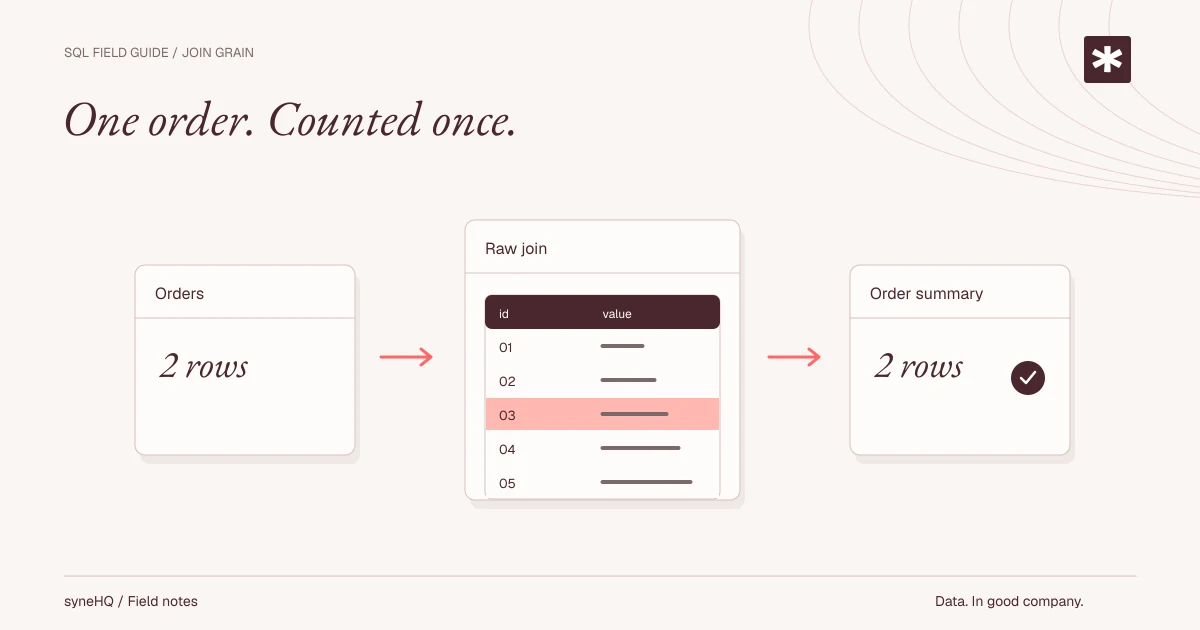
One common cause is joining several one-to-many tables and then summing a value from the parent. SQL returns exactly the combinations you requested. The mistake is assuming the resulting rows still represent one order each.
This lesson reproduces the problem with two fictional orders, three items, and three refunds. It then fixes the grain before calculating the total. The SQL runs in a fresh DuckDB session; the underlying reasoning also applies to other relational databases.
Declare what one row means
Our orders table has one row per order. Order 101 totals 120.00, and order 102 totals 80.00. The booked order total is therefore 200.00.
items has one row per order item. Order 101 has two items. refunds has one row per refund event. That same order has two refund events, for 10.00 and 5.00. Order 102 has one item and one refund of 20.00.
Those are three different grains. Joining them does not make them the same.
Download join-fanout.sql and run duckdb < join-fanout.sql. The script includes its own data and was tested with DuckDB CLI 1.2.1. It creates only temporary objects in the local session.
Reproduce the wrong answer, then correct it
The first query is deliberately incorrect. Keep it in the exercise so that you can recognize this failure in your own reports.
-- Run in a fresh DuckDB session. Fictional orders, items, and refunds.
CREATE TEMP TABLE orders AS
SELECT * FROM (VALUES
  (101, 120.00::DECIMAL(18, 2)),
  (102, 80.00::DECIMAL(18, 2))
) AS t(order_id, order_total);

CREATE TEMP TABLE items AS
SELECT * FROM (VALUES (101, 'keyboard'), (101, 'mouse'), (102, 'book'))
AS t(order_id, item_name);

CREATE TEMP TABLE refunds AS
SELECT * FROM (VALUES
  (101, 10.00::DECIMAL(18, 2)),
  (101, 5.00::DECIMAL(18, 2)),
  (102, 20.00::DECIMAL(18, 2))
) AS t(order_id, refund_amount);

-- Deliberately wrong: each order repeats once per item/refund combination.
SELECT COUNT(*) AS joined_rows,
       SUM(o.order_total) AS wrong_order_total,
       SUM(r.refund_amount) AS wrong_refund_total
FROM orders o
JOIN items i USING (order_id)
JOIN refunds r USING (order_id);

-- Establish one row per order before joining.
CREATE TEMP VIEW order_summary AS
WITH item_totals AS (
  SELECT order_id, COUNT(*) AS item_count
  FROM items GROUP BY order_id
), refund_totals AS (
  SELECT order_id, SUM(refund_amount) AS refund_total
  FROM refunds GROUP BY order_id
)
SELECT o.order_id, o.order_total,
       COALESCE(i.item_count, 0) AS item_count,
       COALESCE(r.refund_total, 0) AS refund_total
FROM orders o
LEFT JOIN item_totals i USING (order_id)
LEFT JOIN refund_totals r USING (order_id);

SELECT COUNT(*) AS orders,
       SUM(order_total) AS order_total,
       SUM(refund_total) AS refund_total,
       SUM(order_total - refund_total) AS net_after_refunds
FROM order_summary;

-- This invariant should return no rows.
SELECT order_id, COUNT(*) AS copies
FROM order_summary GROUP BY order_id HAVING COUNT(*) <> 1;
Explain the multiplication
Order 101 becomes four rows: two items multiplied by two refund events. Its order total appears four times, contributing 480.00. Order 102 contributes another 80.00. The wrong total is 560.00.
Refunds are also repeated. The two refunds for order 101 appear once for each item, producing 30.00 instead of 15.00. Together with order 102, the wrong refund total is 50.00.
| Query | Result rows counted | Order total | Refund total | Net after refunds |
|---|---|---|---|---|
| Raw child-table join | 5 | 560.00 | 50.00 | Not calculated |
| One row per order | 2 | 200.00 | 35.00 | 165.00 |
The corrected query aggregates each child table to one row per order before joining. A left join retains an order even when it has no items or refunds. COALESCE maps an absent refund aggregate to zero under this example's definition: no refund event means no refund amount. It is not a general rule that unknown values mean zero.
Why DISTINCT is an unreliable repair
SUM(DISTINCT order_total) might happen to return 200.00 for this fixture because the two totals differ. Add a second legitimate order worth 120.00 and it would remove that amount too. It deduplicates values, not business entities.
Similarly, counting distinct order IDs repairs only that count. It does nothing to stop amounts or quantities from repeating. A query with one correct headline number can still contain several inflated measures.
If the question only asks whether an order has an item matching a condition, an EXISTS predicate may be a better fit than bringing every item into the result. Choose the relationship the question actually needs.
Test the grain as well as the total
The final query checks for duplicate order IDs in the summary. It should return no rows. Also compare the summary's order count with the eligible source orders and reconcile the total before and after the joins.
In a production fixture, add orders with no refunds, multiple refunds, identical totals, and missing dimension matches. Decide whether each filter belongs on the eligible orders or on the child aggregate. Placing a child-table condition in WHERE after a left join can unintentionally remove unmatched orders.
For historical customer dimensions, one customer ID may have several versions. Joining only on the ID can recreate the same problem. Select the correct effective-date record and verify that it is unique for each order's time.
Give the metric an explicit scope
“Net after refunds” here means the sum of order totals minus all refund events in this tiny fixture. It is not a claim about recognized revenue. A real monthly report must define whether it groups refunds by order month or refund month, how taxes and discounts are handled, and which currency is being summed.
Keep that definition with the saved query. A reviewer should be able to identify the grain, eligible population, and reconciliation without reconstructing your joins.
Quantum Lab and saved queries are useful when the query and explanation need to survive the original analyst. You can use the same checks without either product.
For another denominator problem, continue with monthly cohort retention.
References
Put it to work
Run the example. Check the answer.
Start with the fictional data and complete SQL. No signup needed. Then adapt the checks to your own definitions.